Realistic Home Defense Controls: PC, Console and Mobile
The full Realistic Home Defense keybind list from the game page, what each bind is for, and the console and mobile differences that change a fight.
The game publishes nine binds, and three of them win fights: lean, prone and fire mode. Lean is Q and E on keyboard or the D-pad on a controller. Prone is C or B. Fire mode is V or RB. Everything else is a bind you already know from every other Roblox shooter.
The list below is copied from the official description of the IBA Community version, checked on October 29, 2026. The [NVG's] alpha does not publish a bind list at all, which is its own problem and is covered at the bottom. The beginner guide covers which of the two to install first.
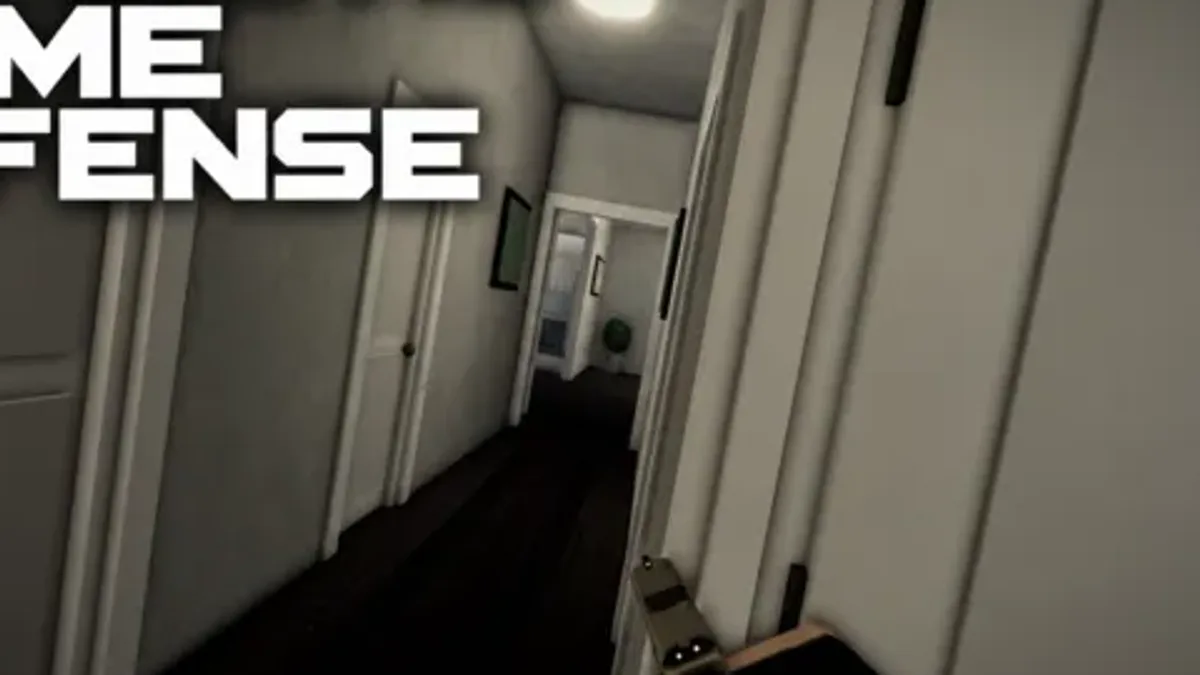
Official source: REALISTIC HOME DEFENSE on Roblox — the CONTROLS section of the game description, checked October 29, 2026. The [NVG's] alpha listing was checked the same day and has no controls section.
The official bind list
| Action | PC | Console |
|---|---|---|
| Fire | Left Click | RT |
| Aim | Right Click | LT |
| Reload | R | X |
| Fire Mode | V | RB |
| Sprint | Shift | L3 |
| Crouch / Prone | C | B |
| Lean | Q, E | D-pad |
| Switch Weapon | 1–9 | Y, LB |
| Interact | G | X |
Two things stand out. First, aim is a hold, not a toggle, so the right mouse button is occupied for the whole fight; everything you want to do while aiming has to live on the left hand. Second, the weapon slots run 1 through 9, which is more than most loadouts carry. In practice you will use 1 and 2, and the rest exist for the secondary slot that the store sells.
Mobile is the third column the page does not tabulate: on-screen buttons, with their positions editable in Settings.
If a bind ever changes, the IBA Community group is where the developer posts updates; the group had 72,354 members on October 29, 2026.
The three binds that decide fights
Lean (Q / E, D-pad). Leaning is the reason this game plays differently from a standard Roblox shooter. Standing beside a doorway and leaning lets you see into a room while most of your body stays behind cover. The mistake is leaning from the near edge of the frame, where your head crosses the opening before your eyes do. Lean from a step back.
Prone (C / B). Prone shrinks your silhouette and steadies a long shot, and it costs you the ability to move quickly. Use it to hold a long corridor or to disappear behind low furniture, not to peek a door. A prone player in a doorway is a stationary target at head height for anyone who pre-aims the frame.
Fire mode (V / RB). Semi-auto for corridors, full-auto for a room you are entering, and whatever the third mode is for the range. The bind is one key because the game expects you to change it mid-round. If you never touch V, you are paying a recoil tax on every long shot.
Bind lean to your mouse's side buttons if you have them. Q and E work, but they compete with movement keys on the same hand, and a lean you cannot do while strafing is half a lean.
Console: what changes
The console layout maps cleanly, with one real conflict: lean shares the D-pad with nothing else important, but the D-pad is also where many players expect to find inventory or ping controls. The game gives lean the whole pad, which tells you the developers consider it a core mechanic rather than a bonus.
The other console difference is aim. LT is a hold, and on a controller a held aim plus a held trigger is two fingers doing precise work at once. Lower your aim sensitivity before you lower anything else; the default is usually tuned for turning, not for tracking a head crossing a doorway.
Reload on X and interact on X is a shared bind in the table, which is standard: the game resolves it by context. If you have ever tried to reload next to a door and opened it instead, that is why. The game passes page explains the secondary slot that the 5 through 9 keys exist for.
Mobile: editing the layout
The description is explicit that mobile players get on-screen buttons that can be edited in Settings. Do that before your first match, because the default layout is built for a tablet.
Three changes worth making:
- Move fire and aim to the lower right, where your thumb rests, and make fire the larger of the two.
- Move lean off the centre of the screen. It is a hold, so it needs to sit under a finger that is not also steering.
- Move interact somewhere you can reach without looking. It is the bind you will press while backing away from a door.
Do not add buttons you do not use. Nine binds on a phone screen is a crowd, and every extra button is a place your thumb can land by accident.
Settings worth changing before sensitivity
Sensitivity is the setting everyone changes first and the one that matters least at the start.
Field of view. A wider view shows more of a room on entry and makes targets smaller at distance. For a home-defense shooter where fights happen at five to fifteen meters, wider is usually better.
Master volume. Sound is information in a game where a bullet can pass through a wall. If you play with music on, turn the music off and keep effects up.
Graphics quality. Lower settings raise frame rate, and frame rate is what makes a lean peek land on the frame you wanted. On a laptop, drop shadows before you drop resolution.
Toggle versus hold for aim. If the game offers a toggle option, take it on mobile. Holding aim with one thumb and firing with the other leaves nothing for movement.
The IBA description lists lean, prone and fire mode as binds, but it does not publish a sensitivity scale, an FOV range or a deadzone setting. Advice that quotes exact numbers for this game is inventing them; change one setting at a time and test it in a real round.
The alpha has no published binds
[NVG's] Realistic Home Defense [ALPHA] describes its rules and its economy but not its controls. The description says defenders hold the house, invaders break in, one life, three minutes, rifles, silencers and grenades bought with round cash, up to 8v8 on Maple Street, and a shooting range between rounds.
That tells you what the game does and nothing about which key does it. The practical route is the default Roblox layout plus the shooting range: the range exists precisely so you can test a bind without losing a round. Do that before your first live round, because a three-minute round with one life is an expensive place to discover that your reload key is not where you thought.
The two games also differ in how much the binds matter. The alpha is a round game with a buy phase, so the bind you use most is the one that opens the buy menu; the IBA version is a continuous tactical shooter where lean and fire mode are in use every ten seconds. The money guide breaks down the buy phase, and the version page explains why the two listings are not sequels.
FAQ
What is the lean key in Realistic Home Defense? Q and E on keyboard, D-pad on console. Lean is a hold, not a toggle.
What is the prone key? C on keyboard, B on console. The same bind handles crouch and prone.
How do I change fire mode? V on keyboard, RB on console. Semi-auto is the default for most weapons.
Can you play Realistic Home Defense on mobile? The IBA version supports it, with on-screen buttons that can be repositioned in Settings. The alpha does not document mobile controls.
Why does reload also open doors? Reload and interact share the X button on console because the game resolves the action by context. Stand away from the door before you reload.
Do the two games use the same controls? No. The IBA version publishes a full bind list; the alpha publishes none. Assume the Roblox defaults for the alpha and test on the range.
Read the beginner guide for the first-hour route in either game, or the wall penetration page to turn these binds into a room clear.